Free Azure Web Hosting
There are a few ways to host content for free on Microsoft Azure.
For small/personal use only of course. Anything commercial will quickly push past the free tiers of these services.
We are talking about static files or websites like this one (generated with Hugo or anything else like Next.JS).
Azure Storage
An Azure Storage storage account can easily be used as a webserver by utilizing its web hosting feature.
Important
This method only delivers stuff over HTTP, not HTTPS via your custom domain name. So it fine for assets like JS, CSS or CRLs, but probalby not for a live site. For HTTPS you can use the Microsoft-Generated “mystorage.z49.web.core.windows.net”-Hostname
-
Create Storage Account:
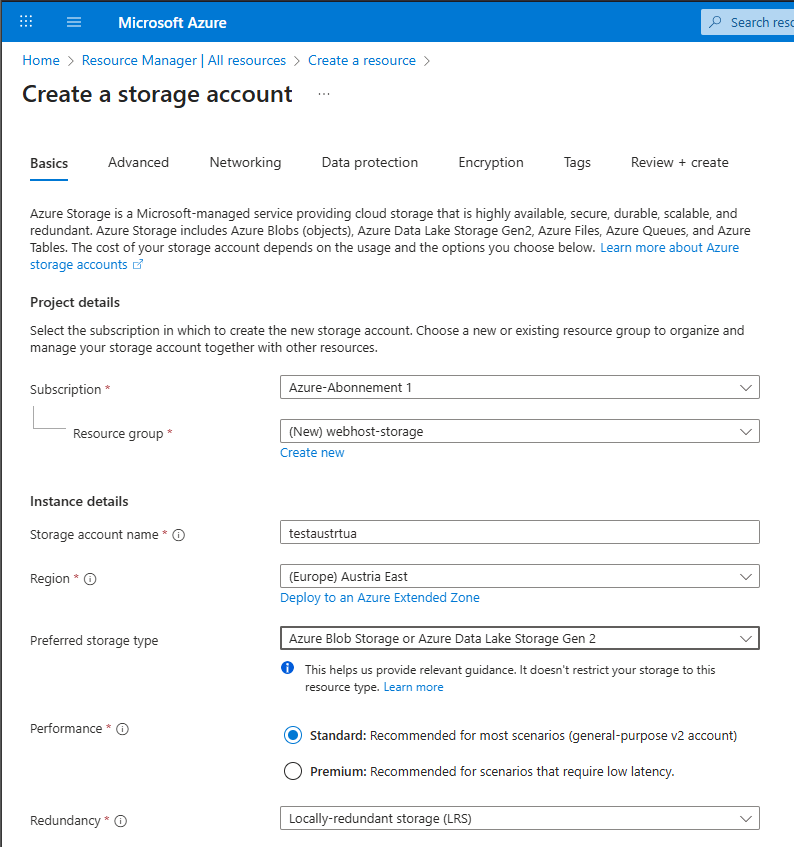
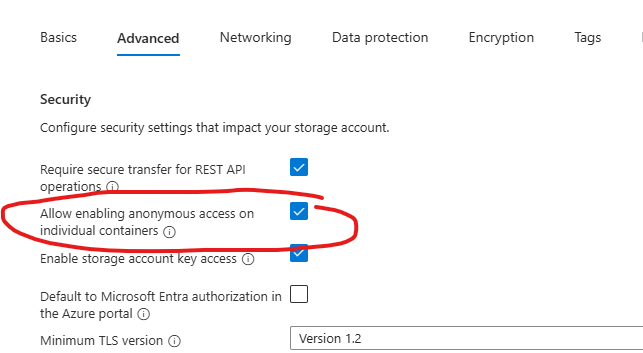
-
Make sure it as a V2 account:
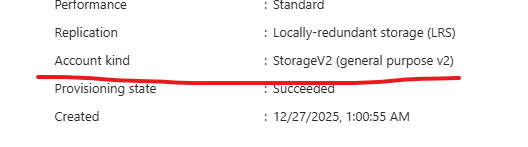
-
Disable “Secure Transfer Required”
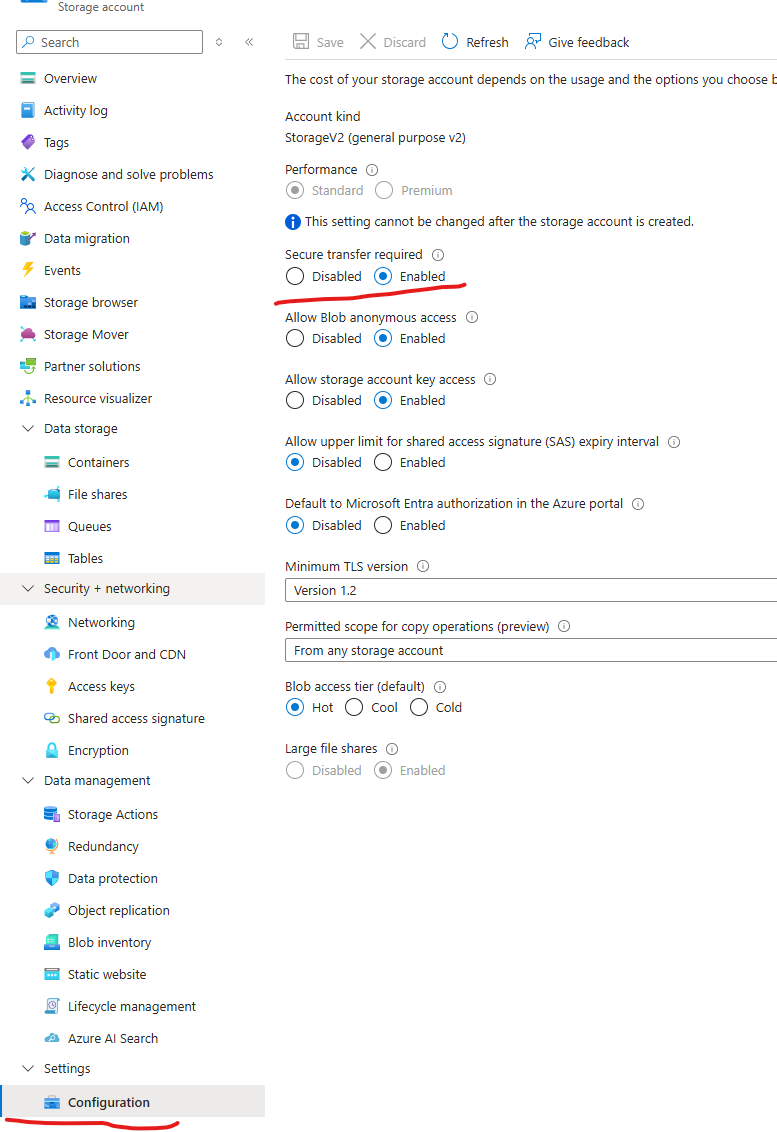
-
Enable Static Website Feature
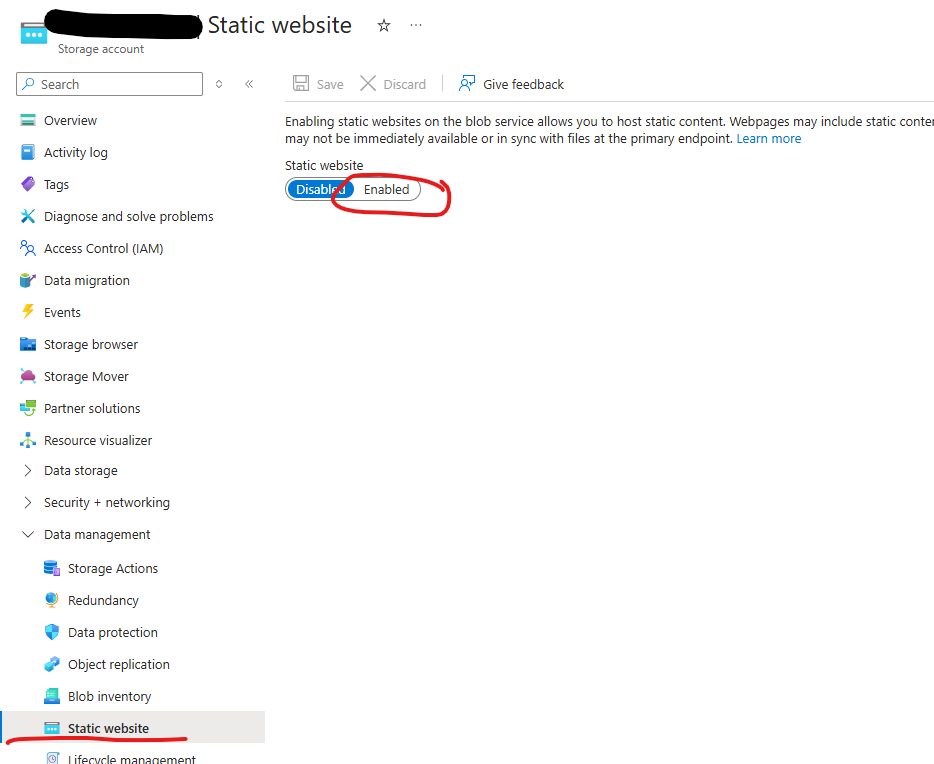
-
Create a CNAME for the hostname in your DNS Panel

-
add custom domain to storage account:
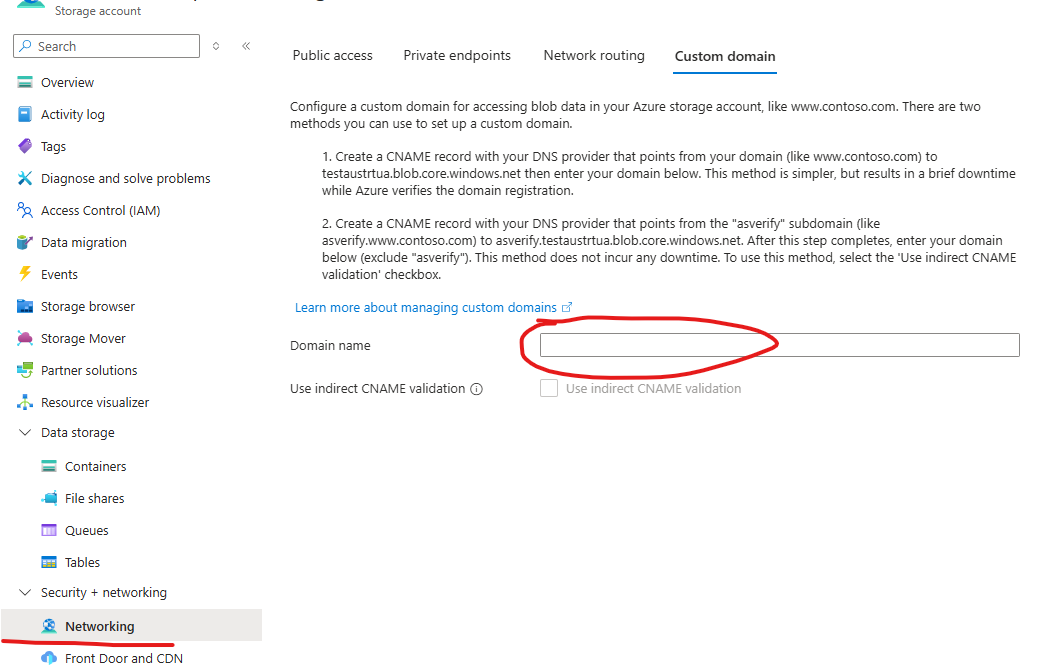
-
upload content to $web blob container:
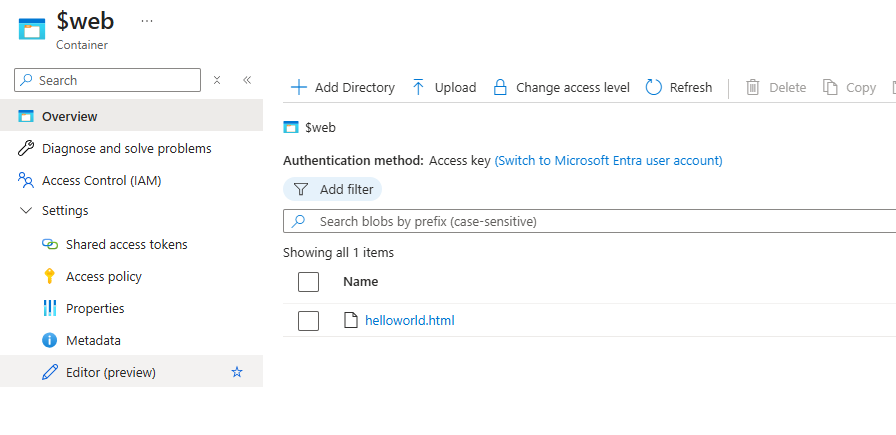
-
access via http://mycustomdomain.something:

Tip
This can also be used to easily publish the CRLs of your PKI (Public Key Infrastructure) to the internet.
Azure Static Web App
coming soon…